what size is an instagram post is a common question. This guide gives exact pixel sizes, aspect ratios, and export tips. It shows how to prepare images that display sharply on phones and web. The guide keeps instructions clear and practical. It helps designers, creators, and marketers get consistent results.
Key Takeaways
- The ideal Instagram post size depends on the format: square posts use 1080 x 1080 pixels, portrait posts 1080 x 1350 pixels, and landscape posts 1080 x 566 pixels.
- Starting images at 1080 pixels on the short side balances quality and file size, ensuring sharp display on phones and web.
- Use JPEG for photos with high quality (75-90%) and PNG for images with text or sharp edges, always exporting in sRGB color space for consistent color.
- Avoid placing important content at photo edges and maintain safe margins to prevent cropping in Instagram previews.
- Test images on actual phones via private posts or test accounts to check for blur, banding, or color shifts before public posting.
- Maintain a full-resolution master file, use export presets for each dimension, and update export settings regularly to adapt to Instagram’s changing compression and display standards.
Instagram Post Size Standards: Square, Portrait, and Landscape Dimensions
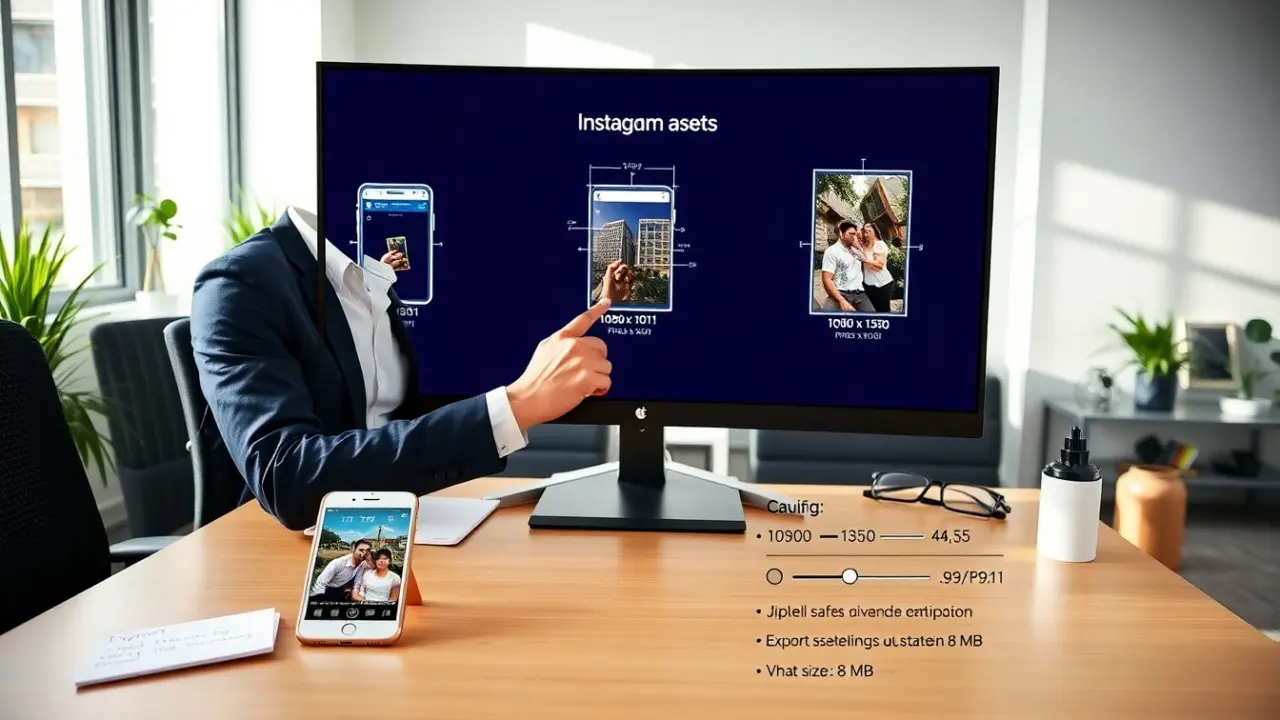
Square posts use 1080 x 1080 pixels for best results. They keep a 1:1 aspect ratio. They display consistently in feeds and grids. Portrait posts use 1080 x 1350 pixels. They keep a 4:5 aspect ratio. They use more vertical space in feeds and get more screen real estate. Landscape posts use 1080 x 566 pixels. They keep a 1.91:1 aspect ratio. They work well for wide scenes.
They should consider upload size and display size. Instagram stores multiple versions after upload. It often serves a scaled image to phones. They should start with images at 1080 pixels on the short side. That practice balances quality and file size. For high-detail images, they can prepare larger files at 2048 pixels and let Instagram compress them.
They ask “what size is an instagram post” when they want consistent branding. They should pick one primary aspect ratio. They should crop other images to that ratio. They should keep safe margins for text and faces. For square and portrait posts, they should avoid placing critical content at the extreme edges. Instagram may crop previews in some contexts.
They can use exact aspect ratios when they plan a grid. They should use 1:1 for uniform grids. They should use 4:5 when they want taller visuals. They should use 1.91:1 for cinematic shots. They should export according to those dimensions to reduce unexpected crops.
Optimal Resolution, Aspect Ratios, File Types, and Compression Advice
They should aim for 72 to 150 PPI for screen display. Pixels matter more than PPI for Instagram. They should match the pixel dimensions to the chosen size. For square and portrait posts they should use 1080 pixel width. For landscape they should use 1080 pixel height.
They should use JPEG for photos and PNG for images with text or sharp edges. They should save JPEGs at high quality but not at 100%. A quality setting between 75 and 90 yields good results and smaller files. They should avoid progressive JPEG when they export. They should use sRGB color space. sRGB gives consistent color across devices and web.
They should keep file sizes below 8 MB when possible. Instagram applies its own compression when files exceed certain thresholds. They should test exports to find the best balance of quality and size. They should check images after upload and compare with the local file.
They should avoid heavy sharpening before export. Instagram can amplify sharpening and make edges look harsh. They should apply light sharpening and then test. They should remove metadata and extra color profiles when they export to reduce file size. They should keep image backgrounds simple when they expect compression artifacts.
People often ask what size is an instagram post when they see blurring after upload. Blurring often results from wrong color space, too low resolution, or excessive compression. They should follow pixel dimension and file type advice to avoid blur.
How To Resize, Export, And Test Images For Flawless Instagram Posts
They should start with a master file in a layered editor. They should keep a copy at full resolution. They should create export presets for 1080 x 1080, 1080 x 1350, and 1080 x 566. They should use those presets to speed workflow.
They should resize with bicubic sharper or a similar resampling method. They should check the image at 100% after resize. They should adjust sharpening by viewing the resized image at actual pixel size. They should export using sRGB and the chosen JPEG quality.
They should test images on an actual phone. They should upload a private post or use a test account. They should view the post in the feed, in profile grid, and in the full post view. They should inspect for blur, banding, or color shifts.
They should batch export when they have many images. They should keep file names that reflect size and purpose. They should automate compression with reliable tools if they handle large volumes. They should avoid multiple lossy saves. They should keep a high-quality master TIFF or PSD and export only from that master.
They should check Instagram’s app updates and help center for changes. Platform rules and compression can change. When they ask what size is an instagram post next time, they should verify the current recommended pixel dimensions and test files before publishing.
They should document their final export settings and share them with the team. They should update those settings if they notice quality changes after app updates.