| Symptom | First action | Planning use |
|---|---|---|
| White light spots and harsh shadows | Replace direct bright light with a light tent, which gives diffused and uniform lighting | Fix the light before camera settings, so every later step starts from clean highlights. |
| Camera or lens mirrored in the metal | Place paper or aluminum foil around the bottom of the lens, and add a polarising filter if glare remains | The paper or foil costs almost nothing, so test it before buying any filter. |
| Soft, blurred detail at close range | Mount the camera on a tripod and fire it with a remote release or the 2-second timer | Treat this as mandatory for macro work, because tiny movements show up as blur. |
| Front of the piece sharp, the rest soft | Stop the aperture down to the f/8 to f/16 range | Check the whole piece for sharpness before moving on to the next item. |
| Silver, white gold or platinum fading into the backdrop | Switch from pure white to a light grey background | Decide the backdrop per metal, not per shoot. |
| Gold or silver tones look off | Set a custom white balance from a grey card | Do this each time the lighting changes. |
Figures and fixes above follow Impression Photography and Marszal Studio.
To learn how to photograph jewelry for a website, diffuse the light, control reflections, lock the camera on a tripod with a macro lens, and clean the piece first. Small size and high reflectivity make careful control essential.
The same habits keep a catalogue consistent, which matters for small-product listings, and they sit alongside our wider photography tips for blog images: see photography tips for blog images for the general publishing workflow. The sections below take each symptom in turn and explain the fix.
Lighting that controls reflections
Polished metal and faceted stones act like small mirrors, so most failed jewelry shots come from the light, not the camera. Sort the lighting first, then move on to the lens and settings.
Harsh white spots and shadows
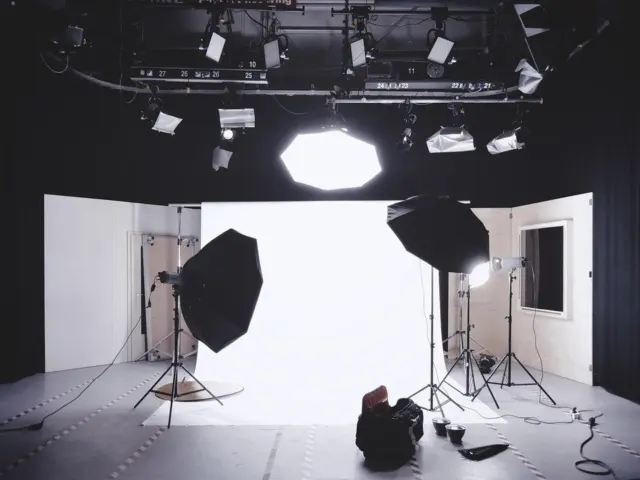
A bright light aimed straight at the piece produces harsh background shadows and white light spots. The cure is to soften and spread the source. Lightboxes and light tents create a diffused and uniform lighting environment, and a tent wraps the piece in diffused illumination from multiple angles at once, which suits rings, pendants and bracelets.
A light tent suits anyone who photographs those piece types repeatedly, because the same diffused set-up covers them all without rebuilding the lighting each time. If you only have a single item to shoot, a softened window setup (covered later) can stand in.
Setting the main light angle
Place the main light at approximately 45 degrees to the jewelry’s primary reflective surface, as Marszal Studio advises. Treat that as a starting position rather than a fixed rule, since the source says “approximately”. If a hot spot still sits on the metal, adjust the light before changing anything on the camera.
Camera and lens reflected in the metal
Shiny surfaces will show whatever sits in front of them, including the lens. To minimise this, place paper or a sheet of aluminum foil around the bottom of the camera lens. The same guide recommends polarising filters to reduce unwanted reflections and glare. Try the paper first, since it needs no purchase, and add the filter only if reflections persist.
Backgrounds and preparation
A clean piece on a simple backdrop lets the lighting do its job and removes problems that no editing fixes quickly.
Clean the jewelry first
Clean the metal and stones before photographing them. A phone-photography guide for jewelry notes that the camera may pick up dust or fingerprints that the eye misses. At macro distances those marks become obvious, so wipe the piece again whenever you handle it.
Choose a backdrop by metal colour
Choose a clean and uncluttered background so the focus stays on the jewelry; matte surfaces also simplify the lighting. A white background lets only the jewelry’s colours show and keeps them unaltered, which is why it is the usual choice for shop listings.
White works against some metals, though. Light grey is more forgiving for silver, white gold and platinum, which can disappear against pure white. If your range mixes yellow gold and white metals, keep both backdrops to hand and pick per piece.
Colour accuracy
Gold, silver and platinum are easy to push off colour under mixed or tinted light. Marszal Studio calls a custom white balance set from a grey card critical for accurate tones. If you are unsure how to set white balance, our guide on how to set white balance walks through the process. Re-set it whenever you change bulbs, the tent or the backdrop.
Choosing a macro lens
The single most important piece of equipment for this work is a true macro lens, which projects the subject life-sized onto the camera sensor at 1:1. Without that magnification, fine detail such as claws, engraving and hallmarks will not hold up on a product page.
- Entry-level, about 60 mm focal length: An entry-level macro lens with a focal length of about 60 mm is described as giving a half-life-size look that suits jewelry. Marszal Studio lists a 60 mm macro for compact studio setups, tight working areas and flat jewelry, with about 18 cm working distance at 1:1 and a price of about $400-$600. This suits a small desk and flat pieces such as earrings and thin chains laid down.
- Professional standard, 100-105 mm: Marszal Studio names this range as the professional standard for rings, necklaces and earrings, with about 30 cm working distance at 1:1 and about $800-$1,200. The longer working distance gives you more room between lens and piece for lights and diffusers, so choose it if you shoot dimensional items regularly and have the space.
The two guides describe 60 mm magnification differently, so read a lens’s stated maximum reproduction ratio before buying, and treat the prices as approximate rather than quotes.
Locking the camera and setting exposure
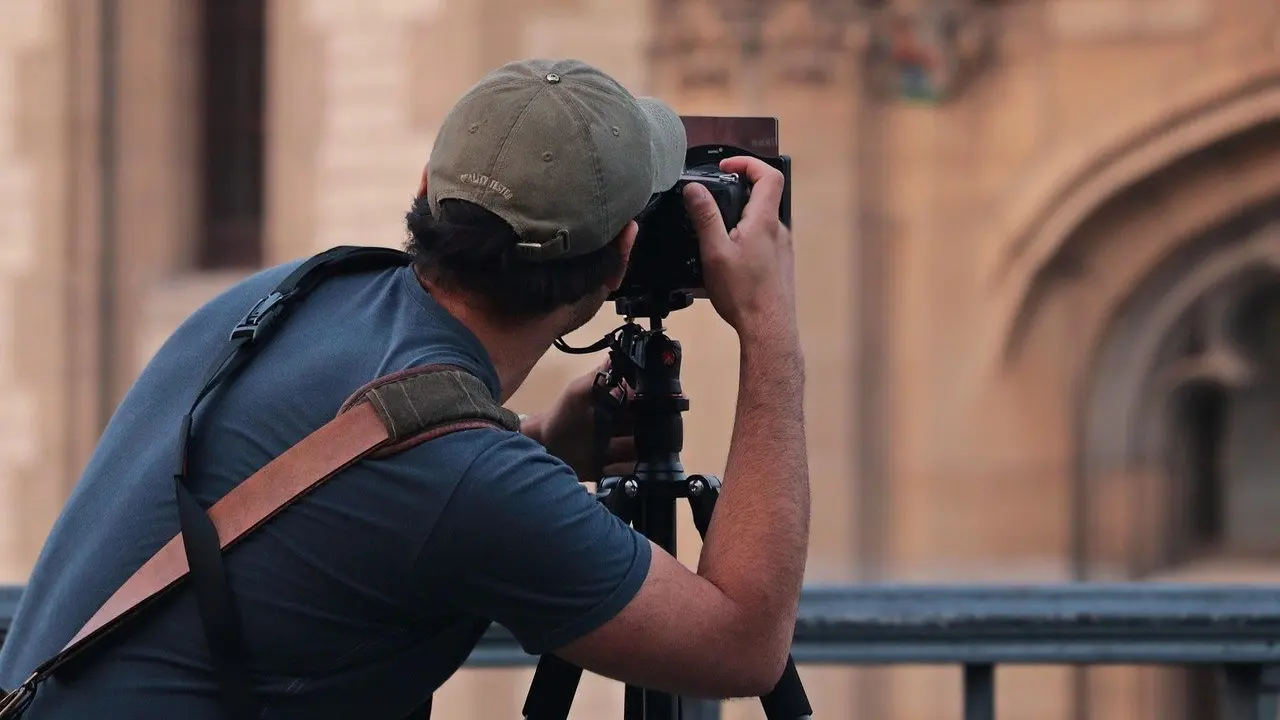
At 1:1 magnification, even a 1 mm camera movement produces severe blur. A tripod is therefore part of the lens decision, not an optional extra, and pressing the shutter by hand undoes its benefit. Trigger the shot with the remote release or the 2-second timer so no vibration reaches the camera.
Shutter speed and aperture
For studio work on a tripod, Marszal Studio suggests a shutter speed of 1/60 to 1/125 s, and an aperture of f/8 to f/16, which maximises depth of field to keep the entire piece sharp. Use the f/8 end when the piece is flat and the f/16 end when it has depth, such as a ring standing upright. Keep in mind that these are working ranges, not targets to hit exactly.
When one frame is not sharp enough
Small reflective items rarely fit entirely inside the focus zone at close range, even when the aperture is stopped down. If part of a deep piece stays soft, take several frames with the focus point moved through the piece and combine them in editing. This technique is called focus stacking, and it works best when the camera and piece do not move between frames, which is another reason to keep the tripod locked.
Phone and window-light setups
You can start without a tent or a macro lens. Natural sunlight used indirectly, with the product set by a window, produces flattering images. Avoid direct sun for the reason covered earlier: it creates hard spots on the metal.
With a phone, get as close to the piece as possible without going out of focus, and move the phone rather than using the zoom feature, which may distort the image. This route suits a small first catalogue or a test of whether a product page works. Move to a tent and macro lens when detail and consistency across many items start to matter.
Frequently asked questions
| Question | Answer |
|---|---|
| Do I need an expensive camera? | No. Any camera works well for jewelry, but pay attention to aperture and shutter speed, and shoot in RAW. |
| Which tripod head is best? | One with an Arca Swiss-compatible ball head or a removable ball head lets you adjust the angle fluidly before locking it. |
| Can I use a shutter speed slower than the usual range? | Yes, when the camera is on a tripod and you use a remote release; slower speeds are possible in that case. |
| Should I underexpose bright jewelry? | One wedding-jewelry photographer underexposes by around a half-stop to avoid overexposed highlights, then corrects it in post-processing. |