360 product photography shows a product as a full rotation. It gives shoppers control and confidence. It reduces return rates and increases conversion. This guide explains practical steps. It covers gear, shooting workflow, post-processing, and web integration. It keeps instructions clear and direct. It targets e-commerce teams and photographers who want higher conversions with interactive product spins.
Key Takeaways
- 360 product photography enhances buyer trust by showing products in a full rotation, helping shoppers inspect items from all angles and increasing conversions.
- A stable motorized turntable, consistent lighting, and a tethered camera are essential equipment for capturing clean and distortion-free 360 product photographs.
- Capture 24 to 72 frames per rotation using manual camera settings and automation tools to ensure smooth, high-quality spins.
- Post-processing should include batch exposure correction, dust removal, and precise stitching to create seamless 360 product views without flicker.
- Optimize exported images for web using consistent formats and sizes, compress them carefully, and use clear file naming to maintain order and performance.
- Integrate 360 spins with lightweight viewers, enable lazy loading, and track user engagement with analytics to measure ROI and conversion improvements effectively.
Why 360 Product Photography Works — Benefits And Best Use Cases
360 product photography improves buyer trust. It lets users inspect items from all sides. It reduces uncertainty about size, texture, and finish. It increases time on page, and it leads to higher conversions for apparel, electronics, and furniture. It suits product pages, category listings, and paid ads. It works best for products with visual details that matter. It can lower returns when merchants display scale and real-world angles.
Essential Equipment And Studio Setup For Clean 360 Shots
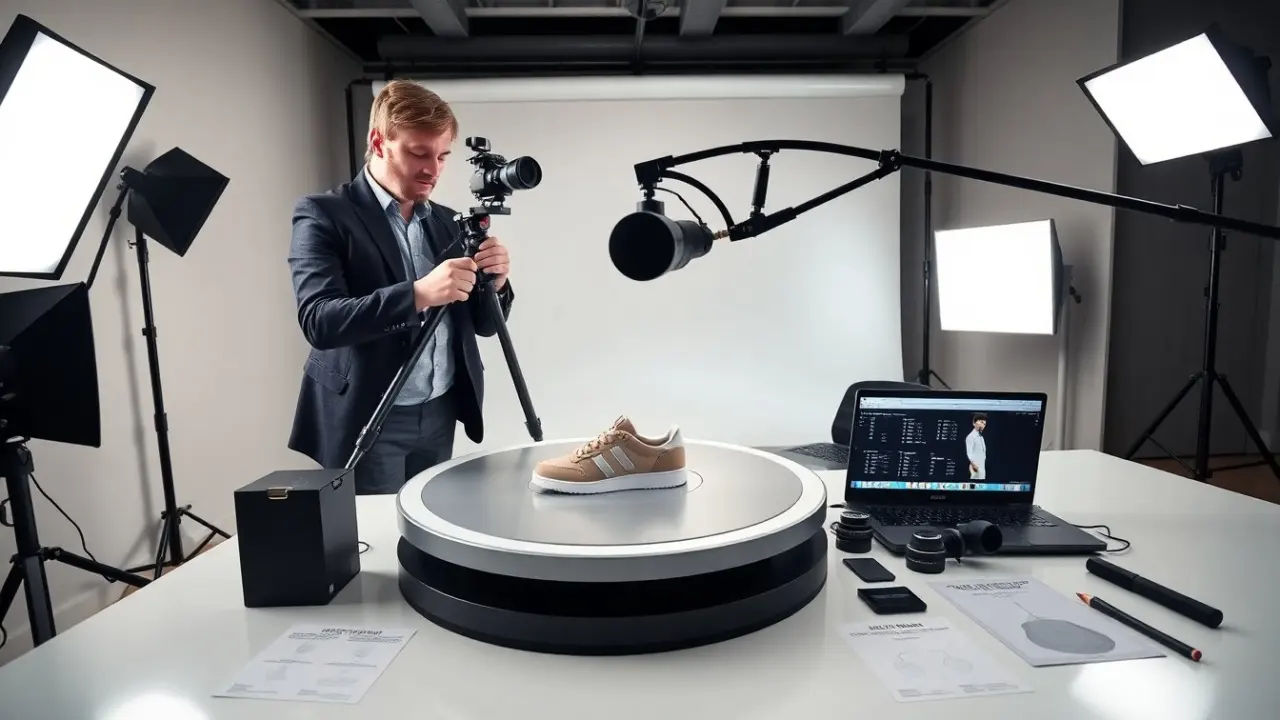
A clean 360 product photography setup starts with proper lighting and a stable turntable. It uses continuous LED lights or flash to keep exposure consistent. It uses a neutral backdrop and a low-reflective surface for shiny items. It uses a tethered camera for control and instant review. It places the camera level with the product center to avoid distortion. It secures the product with low-profile mounts for small items.
Turntables, Camera, Lenses, And Mounting Tips
Choose a motorized turntable with precise increments for reliable 360 product photography. The turntable should hold the product center and rotate smoothly. Use a DSLR or mirrorless camera with manual mode. Use a macro lens for small items and a standard prime for most products. Use a tripod with a geared head to keep the camera steady. Use sticky putty or clear clamps to hold items that shift during rotation.
Shooting Workflow: Angles, Frame Count, And Automation
Decide the total frames before shooting. Typical 360 product photography uses 24 to 72 frames per rotation. Use more frames for complex shapes or smooth spins. Set the turntable to the chosen step angle. Capture in RAW to retain detail. Keep camera settings consistent across frames. Use interval controllers or tether software to automate capture. Check frames on a monitor and reshoot if alignment or exposure varies.
Post-Processing And Stitching Techniques For Seamless Spins
Import RAW files and apply a single exposure and color correction to all frames. Use batch processing to export aligned TIFF or high-quality JPEG files. Remove dust and small blemishes on a few key frames. Use stitching or spin software to assemble frames in sequence. Check for visible jumps or misalignment between frames. Adjust crop and canvas so each frame centers on the product. Keep edits consistent to avoid flicker in the final spin.
File Export, Image Optimization, And Naming Conventions
Export images in a consistent format and size for 360 product photography. Use lossless formats for archiving and high-quality JPEG for web delivery. Resize images to the exact pixel width the site uses to avoid browser scaling. Compress files to balance quality and load time. Name files with a clear pattern such as sku_001.jpg, sku_002.jpg. Keep numbers zero-padded to maintain alphabetical order. Store originals and web assets in separate folders.
Web Integration, Performance Optimization, And Analytics To Measure ROI
Integrate spins using a lightweight viewer that supports touch and autoplay. Use lazy loading to defer spins below the fold. Serve images via a CDN to reduce latency. Use sprite techniques or webp for additional savings where supported. Measure engagement with analytics events for spin start, spin complete, and time viewing. Track conversion lift by A/B testing pages with and without 360 product photography. Attribute changes in add-to-cart rate and returns to evaluate ROI.