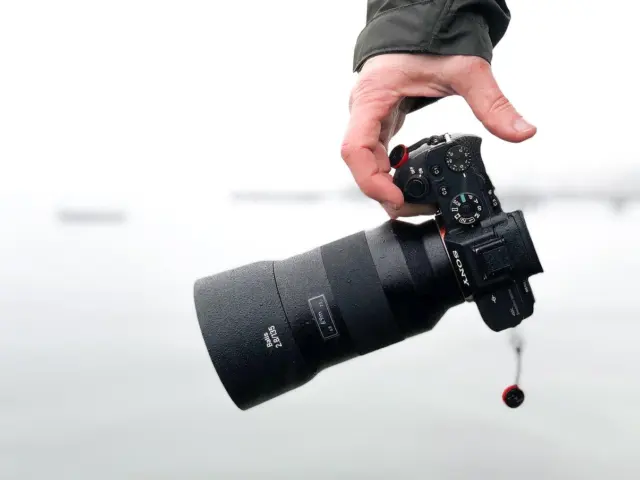
Ecommerce product photography sets the first impression for a product. Ecommerce product photography helps shoppers trust a listing. It shows detail, scale, and use. It reduces returns and raises conversion. This guide gives clear steps on gear, lighting, and shooting. It keeps language simple and actions practical. It fits sellers who want fast gains in clicks and sales.
Key Takeaways
- Ecommerce product photography boosts shopper trust and conversion by clearly showcasing product details, scale, and use.
- High-quality product photos increase click-through rates, reduce returns, and help listings rank better by engaging shoppers and answering their key questions.
- Using appropriate gear and controlled lighting ensures consistent, professional images that maintain true product colors and textures.
- Effective shooting techniques include using plain backgrounds, consistent angles, close-ups, and tailored images for different sales channels.
- Regularly test and optimize images through A/B testing and maintain organized file management to improve performance and streamline workflows.
- Training staff on photography standards and planning shoots carefully saves time and ensures uniform, scalable ecommerce product photography.
Why High-Quality Product Photos Move The Needle
High-quality ecommerce product photography increases click-through rates. It shows the product clearly and removes doubt. Shoppers scan images first and decide to click or skip. Good photos answer basic questions about size, texture, color, and use. They lower return rates because buyers see what they will get. They also let the store present consistent branding across listings. When images look professional, shoppers perceive higher value. Higher perceived value lets sellers price products closer to market top. Search algorithms favor listings with more clicks and longer view times. Clear images increase both metrics and help listings rank better.
Essential Gear For Every Budget
Ecommerce product photography needs the right tools for consistent results. Sellers can start small and upgrade over time. The list below covers low-cost and pro options so they can match investment to goals.
Shooting Techniques That Boost Clicks And Conversions
Compose each image with the product as the clear subject. Place the product off-center for lifestyle shots and centered for catalog shots. Use a plain white background for the main image on marketplaces. Show a scale reference to communicate size. Include at least one close-up of texture, label, or stitching. Use consistent angles across the product line so shoppers can compare items quickly.
Control light to avoid color shifts. Use soft light to keep shadows subtle. Use reflectors to fill dark areas. Check the camera white balance so the color matches real life. For reflective items, use a polarizer or shoot through a diffuser to cut glare. For fabric, use side light to show weave and depth.
Optimize focus and depth of field. Use a narrow aperture for group shots and a wider aperture for single items to blur the background. Keep the key feature in sharp focus. For small items, use focus stacking if the camera supports it.
Shoot for multiple channels. Create one clean hero image for marketplaces. Create five to eight supporting images that show details, scale, and use. Create one styled lifestyle image for social media and ads. Crop images to meet marketplace aspect ratios and test which crop gets the best engagement.
Edit images to match the store look. Keep color true to the product. Remove dust and stray threads. Use subtle sharpening to bring out detail. Keep shadows natural and avoid over-brightening, which can mislead buyers.
Use A/B tests to measure impact. Change one image element at a time: angle, background, or crop. Track click-throughs and conversion. Keep variants that improve metrics and drop ones that do not.
Plan shoots to save time. Create a checklist with lighting, camera settings, angles, and required retouches. Label files with SKU and angle to speed upload. Batch-process similar items for consistent results.
Train staff or hires on the photo brief. Provide examples of acceptable and unacceptable images. Review early shots and give quick feedback. Consistent training keeps listings uniform and helps scale image production.
Finally, maintain backups and raw files. Keep a library of original files to re-edit later for new channels. Good file management saves time when they need new crops or sizes for promotions.