| Planning element | What the guidance supports | Planning use |
|---|---|---|
| Lead time | Most podcasters plan 4 to 8 weeks ahead | Use this as the baseline rolling window for topics, guests and artwork. |
| Longer horizon | Planning several months ahead gives more flexibility for seasonal content or special launches | Stretch to a full quarter when a launch or seasonal episode needs its visuals prepared early. |
| Schedule fields | Publishing date, time and time zone, plus an earlier review deadline | Set the review deadline before the publish date so artwork and notes are checked before release. |
| Creative assets | Copy, images and video, with links to the latest versions | Give every episode a visuals cell that links to the current cover art, not an old file. |
| Production time | Leave enough time for writing, design, review and changes before publication | Treat design as its own scheduled task rather than a last-minute add-on. |
The planning figures and field names above come from Ausha’s podcast editorial calendar template and Asana’s social media calendar template.
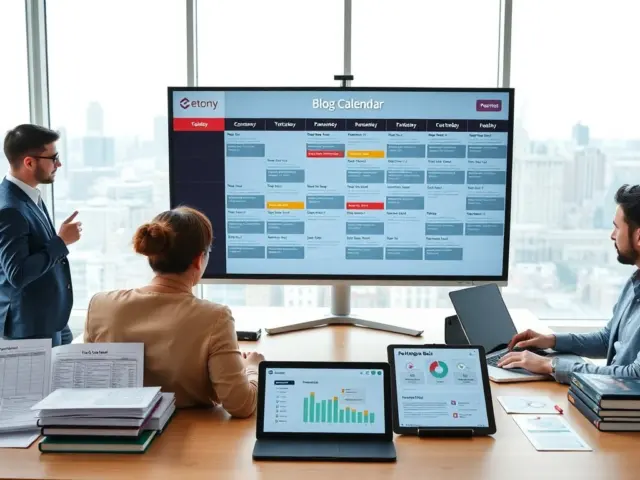
A podcast content calendar works best when each episode row records its publish date, review deadline and the cover art or visuals it needs. Most podcasters plan 4 to 8 weeks ahead; planning several months ahead adds flexibility for launches or seasonal episodes.
If your episodes sit alongside written posts, the hub on how to create visual content for a blog shows how artwork decisions carry across formats.
What a podcast content calendar changes in practice
A podcast content calendar moves production decisions earlier, so artwork, review and promotion are planned alongside the audio instead of squeezed in after it. The practical effects are easiest to see in four areas.
- Designers and reviewers work ahead of release. Asana describes a shared calendar in which designers can plan the assets, and reviewers can check the content before it goes live. For a podcast, that means episode artwork is reviewed alongside the show notes rather than patched in after the edit.
- Promotion lines up with release dates. An editorial calendar lets you coordinate episodes with social media campaigns, email marketing and other promotional strategies. Any graphic that supports a campaign therefore has a due date tied to a specific episode.
- Progress becomes visible. In Ausha’s template, team members can track progress, assign tasks, set deadlines and update the status of different production stages. A host who edits alone gains less from assignments but still benefits from seeing which stage each episode has reached.
- The strategy is easier to share. Asana cites research in which 49% of marketing professionals wanted more transparency into strategy development. A calendar that everyone on the show can open puts the plan in front of guests, editors and designers alike.
These effects depend on one habit: filling in the visuals and review fields when the episode is first added, not when it is nearly finished. The next section covers what those visuals are.
Visuals each episode needs
Each episode needs its images and any video elements recorded in the calendar, with a link to the latest version of each. Asana’s template lists creative assets as the post’s copy, images and video elements, with links to the latest versions, and the same structure suits a podcast row.

In practice, that gives each episode a short checklist:
- Episode artwork. Record which cover art or episode image applies and where the current file lives, so the version that is scheduled is the version that was approved.
- Guest visuals. ClickUp’s podcast template includes custom attributes such as Guest Bio and Guest Headshot, which makes a headshot a tracked item rather than something requested at the last minute.
- Promotional images and clips. Because episodes are coordinated with social and email campaigns, list each graphic or clip with the campaign it supports.
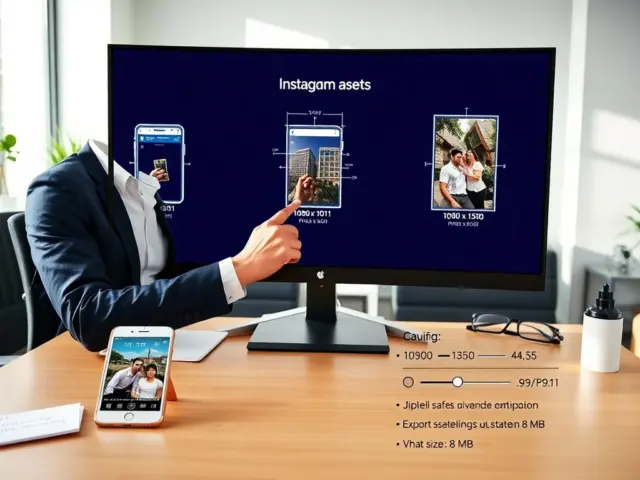
- Video-format thumbnails. If an episode is also published as video, check the dimensions in What Size Should a YouTube Thumbnail Be? The Exact Specs, Best Practices, and 2026 Checklist – Imagesup before the design task starts.
- Branded video clips. When a clip needs a mark on it, How To Add A Watermark To Your Video: 5 Simple Methods For 2026 – Imagesup covers the options, and the watermarked file should be the one linked in the visuals cell.
The visuals cell is also what makes the review deadline meaningful. A reviewer who can open the linked file can approve it, while a vague note such as “artwork done” forces a search through folders. With the visual requirements settled, the next question is how far ahead to schedule them.
Choosing a planning horizon
A rolling window of 4 to 8 weeks suits most shows, and a longer horizon pays off when specific episodes depend on a date. Ausha reports that most podcasters plan between 4 and 8 weeks ahead, and adds that planning several months in advance gives more flexibility, especially for seasonal content or special launches.
The horizon is flexible: the same template can map a content strategy over weeks, months or even a year. That leads to a simple way to choose.
- Solo hosts and small teams with a steady release pattern. Keep the detailed window short and refresh it as episodes publish, so the calendar stays accurate rather than aspirational.
- Shows with a launch or seasonal episode. Plan the whole quarter, because artwork, guest material and promotion for the special episode need more lead time than a regular release.
- Teams with separate designers and reviewers. Plan further out, since Asana advises leaving enough time for writing, design, review and changes before publication, and each handoff consumes some of that time.
Whichever horizon you pick, the later weeks can stay rough, with topics and themes only. Add detail, such as guests and visuals, as each week moves into the near window.
Building the template
A template built on weekly release slots, each carrying the same set of fields so nothing about an episode depends on memory. Ausha’s template lets you map out episode topics, themes and release dates in advance, which is the core of the layout.
Fields for every row
- Topic and theme. The premise of the episode and the series or theme it belongs to.
- Release details. Publish date, time and time zone, plus an earlier review deadline, following Asana’s schedule fields.
- Owner. Asana suggests assigning responsibilities for preparation, review and publishing, so each of the three has a named person even if one person holds all three.
- Status. ClickUp’s podcast calendar marks tasks as Complete, In Progress and To Do, a three-state scheme that is easy to scan.
- Visuals. The linked artwork, guest headshot and promotional graphics described earlier.
- Promotion. The campaigns that the episode is coordinated with.
The ClickUp template offers 18 custom attributes, including Sponsor, Budget, Audio Production, Guest Bio and Guest Headshot. Start with the few you will actually fill in; extra columns that stay empty make a calendar harder to scan.
How to use the three stretches of the quarter
- Opening stretch. Fix release dates and themes, assign owners, and add the visuals cell to every row, including the later ones.
- Middle stretch. Move rows through their statuses, hold the review deadlines, and keep the promotion plan lined up with each release.
- Closing stretch. Reserve this for the launch or seasonal episode if there is one, and start filling the next quarter’s opening rows so the window never runs dry.
Tracking and tools
Any tool that shows dates, owners and statuses in one place will do, so choose by how your team already works. ClickUp’s template pitches a way to set deadlines and plan ahead with a single glance at the calendar, while Notion’s podcast planner presents a content calendar that holds everything from deadlines and blog drafts to social media posts and podcast audio. The second suits a show that publishes written posts and social content around each episode.
Larger productions sometimes split the work. A Spotify episode on podcast content calendars describes managing separate calendars for guest booking, content recording and public episode releases. That separation keeps a guest’s availability from being confused with a release date, but it adds upkeep, so a single calendar with distinct date fields is simpler for a small show.
Frequently asked questions
Can one calendar hold guest booking, recording and release dates?
Yes, if each stage has its own date field. Larger productions sometimes keep separate calendars for guest booking, recording and releases, but a small show can use separate columns in one calendar.
Who should check episode artwork before it goes live?
A named reviewer, with an earlier deadline than the publish date. Asana’s template pairs designers who plan the assets with reviewers who check the content before it goes live.
Do I need all the custom fields a template offers?
No. Templates such as ClickUp’s offer many attributes, including Sponsor and Budget, but only the ones you will keep updated improve the calendar.
Is a quarter-long plan too long for a small show?
Not if the later weeks stay light. Detailed planning usually covers a shorter window, while the wider quarter holds themes and any seasonal or launch episodes that need earlier preparation.