| Shot type | What it shows | Planning use |
|---|---|---|
| White background (e-commerce) | The product alone on white, with no distractions, so the customer sees what is for sale | Make this the main listing image for shop pages or Etsy. Some marketplaces require plain white backgrounds. |
| Lifestyle | People using the product in a real-world setting | Add it after the clean shot when buyers need to see the product in use. |
| Detail | Close-ups of materials, textures or small design elements | Shoot these for mobile shoppers, who need zoomed-in views of what matters. |
| Flat lay | Products arranged on a flat surface and shot from overhead | Choose it for items or sets that read well from above. |
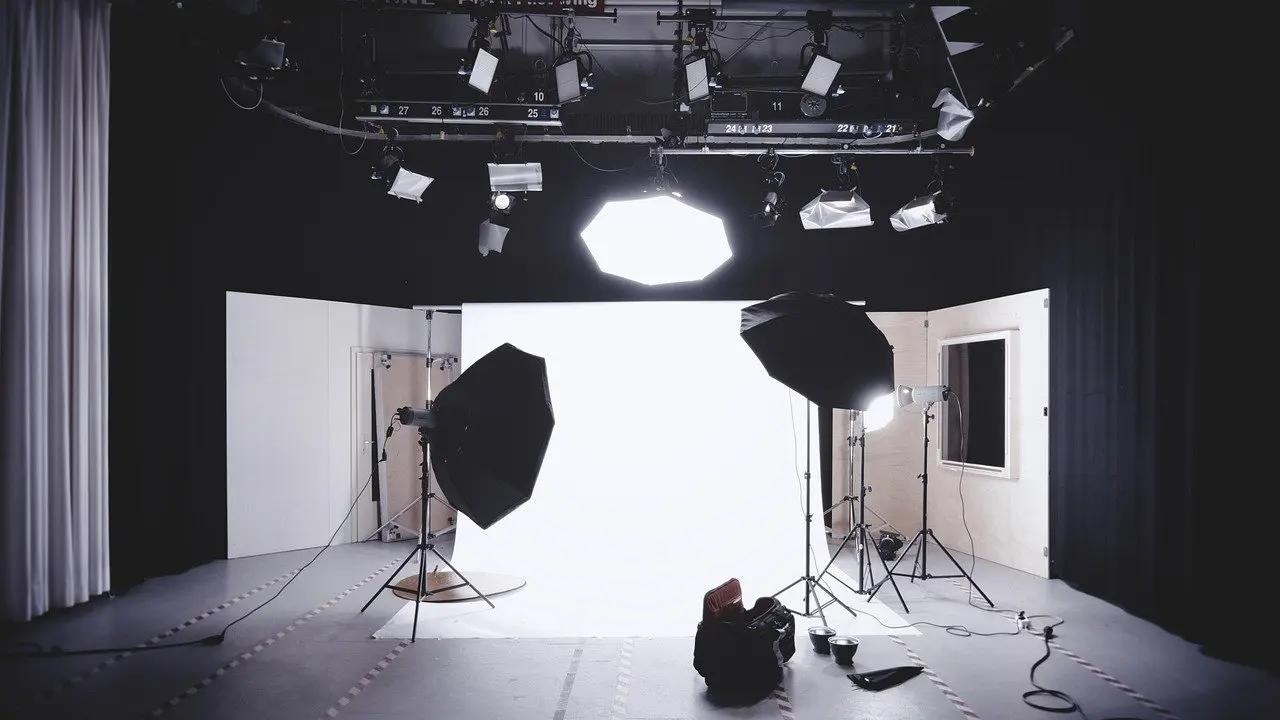
| Studio set | The product in an orchestrated environment with backdrops, props and lighting techniques | Use it when you want full control over the look rather than a found location. |
These shot types come from Bethany Lavin Photography’s breakdown of product photography types and Pathedits’ beginner guide.
What is product photography? It is the art of capturing images of goods for sale. For web sellers, the main condition is that each image must suit the channel it will appear on.
Product photography is one branch of image-making for the web. For the wider craft of shooting for websites and articles, see our guide to photography tips for blog images. The sections below cover what good product images change for a seller, which type to shoot, what gear fits your budget, and how to run a listing shoot.
What good product images change for a web seller
Online, the photograph is the product. Soona’s 2026 guide points out that images are the only visual representation of products in an online shopping environment, and that they heavily influence purchase decisions. A shopper cannot pick the item up, so the image has to answer the questions a physical inspection would.
That has several practical consequences for how you plan a shoot:
- Your photos carry the sales conversation. A blurry or cluttered image leaves the buyer with nothing else to go on, so budget time for the images before you write the listing copy.
- Mobile changes what you shoot. Pathedits notes that shoppers are likely on mobile and advises offering zoomed-in shots and close-ups of the important features. A single wide shot is rarely enough.
- The channel sets the rules. According to Pathedits, some ecommerce marketplaces require plain white backgrounds, while other channels allow more leeway. Check the marketplace requirements before you commit to a style, or you may reshoot.
- The craft is more than a clean picture. Kylee Ann Photography stresses that product photography is not just taking clean images of objects. Storytelling, lighting and strategy all play a part, so decide what each image is meant to tell the buyer.
In short, treat every image as a job with a purpose. The next section sorts the shot types by the job they do.
Types of product photography and where each fits
The right type depends on where the image will be seen and what the buyer needs to know at that moment. Most listings combine more than one type, because a clean image and an in-use image answer different questions.
White background shots
Bethany Lavin Photography explains that e-commerce shots are typically taken on a white background so it is clear to the customer what they are buying. This is the workhorse type for shop pages and marketplaces such as Etsy. It suits any seller who needs a consistent, distraction-free catalogue. Soona gives the same advice for backgrounds in general: keep them simple for maximum product focus.

Lifestyle and detail shots
Lifestyle shots feature people using the product in a real-world setting, as Pathedits describes them. They suit products whose appeal depends on context, such as items people want to picture in their own lives. Detail shots take the opposite approach and move in close to highlight materials, textures or small design elements. Choose them when quality, finish or construction is the selling point, and when mobile viewers need to see it up close.
If your lifestyle frames need a softer backdrop, our guide on How To Blur Background In Photos: Simple Techniques For Professional-Looking Bokeh – Imagesup covers the techniques. For arranging the product within the frame, Rule Of Thirds Examples: 7 Practical Compositions To Improve Your Photos In 2026 – Imagesup gives practical compositions.
Flat lay and studio sets
A flat lay means laying your products on a flat surface and shooting from overhead. It works for groups of items or products that look best seen from above. Studio photography places the product in an orchestrated set with backdrops, props and lighting techniques. It suits sellers who want a controlled, repeatable look across a catalogue, since the environment is built rather than found.
Gear by budget
You do not need a large operation to begin. Kylee Ann Photography says plainly that you do not need a warehouse studio or massive commercial clients to start. Match the kit to the quality you need now and upgrade when a specific limitation shows up in your images. Pathedits describes three tiers.
Beginner: DIY at home
- Smartphone with a high-resolution camera. It is enough to start learning what makes a listing image work, and it costs nothing extra if you already own one.
- Natural light near a window. Window light is the cheapest lighting you can use. Soona notes that natural or artificial light can define the look and feel of an image, so spend your attention here first.
- White poster board or sweep and free editing tools. These cover the white background and basic clean-up at almost no cost.
Intermediate: consistent, repeatable shots
- DSLR or mirrorless camera with a 50 mm lens. Pathedits calls this the bare minimum for shots that convert, so treat it as the step up when phone images stop being consistent enough.
- Tripod and remote shutter. Pathedits recommends a tripod for sharp, consistent angles, especially for ecommerce listings. Locking the camera in place means a whole product range can be matched.
- Lightbox or softbox kit. A softbox gives you lighting you control instead of relying on the weather outside the window.
- Reflectors and diffusers. These shape the light from the softbox or window without adding new lamps.
Pro-level studio setup
- Macro or tilt-shift lenses. Consider these when detail shots are central to selling the product.
- Studio lighting with modifiers, professional backdrops or sweep tables, and grip gear. These suit sellers or agencies shooting at volume who need a repeatable set.
- Professional editing software. This is worth the cost only when your post-production needs outgrow free tools.
How a listing shoot works
A listing shoot is a short sequence of decisions: what to capture, how to light it, and how to confirm each frame is usable. Getting the plan right before you pick up the camera saves reshoots later.
Plan the shot list first
All3D’s product photography glossary advises defining the required angles, details, formats, backgrounds and channel specifications before production begins. A complete ecommerce shot list may cover front, side, back, detail, packaging, in-scale and lifestyle views. You will not need every view for every product, but writing the list down stops you from missing the one angle a buyer asks about.
Control light and background
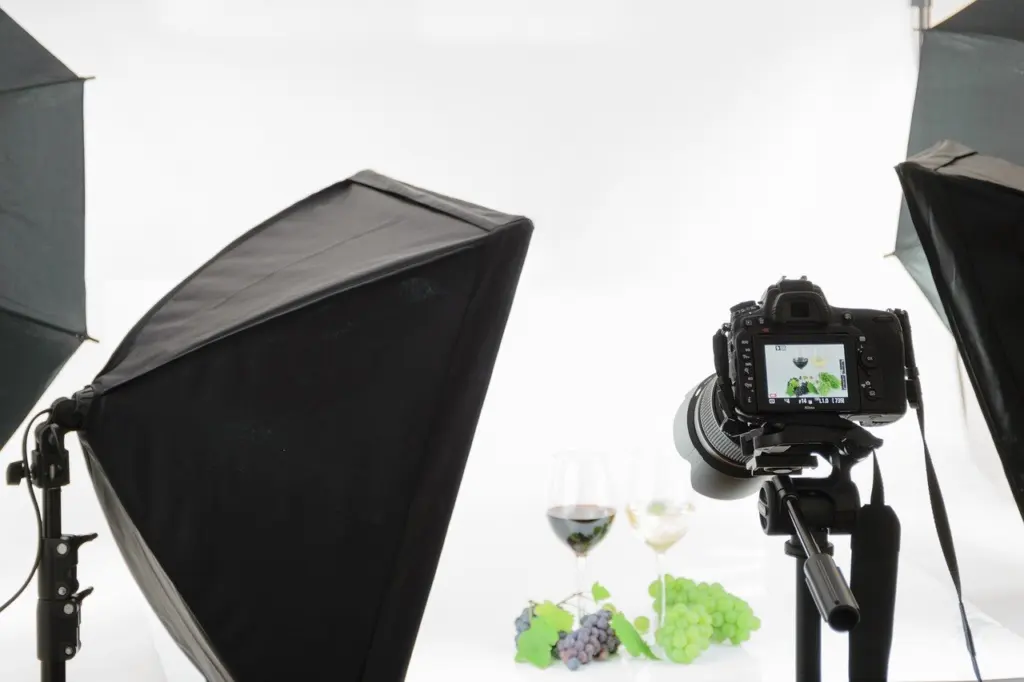
Light shapes the image more than almost any other choice. A softbox on each side of the product, as in the tripod image above, is one way to get even illumination. Keep the background simple so the product stays the focus, and use a white one wherever your marketplace expects it. Reserve props for lifestyle and studio-set work, where they support the story rather than compete with the product.
Check each view while changes are still practical
All3D recommends photographing each planned view and checking focus, colour, reflections, scale and product accuracy while changes are still practical. Review frames on screen before you break down the set. Reflections and colour shifts are far easier to fix by adjusting the setup than by editing afterwards, and an accurate image is the best defence against a customer feeling misled.
Once the set is checked, edit lightly and export in the formats the channel specifies. That is the finishing step before the images go live on a listing.
Frequently asked questions
Can I start product photography with a smartphone?
Yes. Pathedits lists a smartphone with a high-resolution camera, window light, a white poster board or sweep and free editing tools as a beginner setup. A DSLR or mirrorless camera with a 50 mm lens is what the same guide calls the bare minimum for shots that convert, so it becomes the sensible upgrade as your standards rise.
Do I need a large studio?
No. A warehouse studio or large commercial clients are not required to begin. A table, a window, a white sweep and a steady camera are enough to produce listing images while you learn what your products need.
When is photography the right choice over other visuals?
All3D’s glossary says to use photography when the physical product and an authentic capture are central to the brief. If buyers need to see the real item, its real finish and its real scale, photograph it.
Which shot should come first on a listing?
Lead with the clean white-background image, since it shows exactly what is being sold, then add lifestyle and detail views to answer questions that image cannot. If your marketplace publishes its own image rules, follow those for the main image.